VAT & FTA
Your VAT 201 return, ready line by line
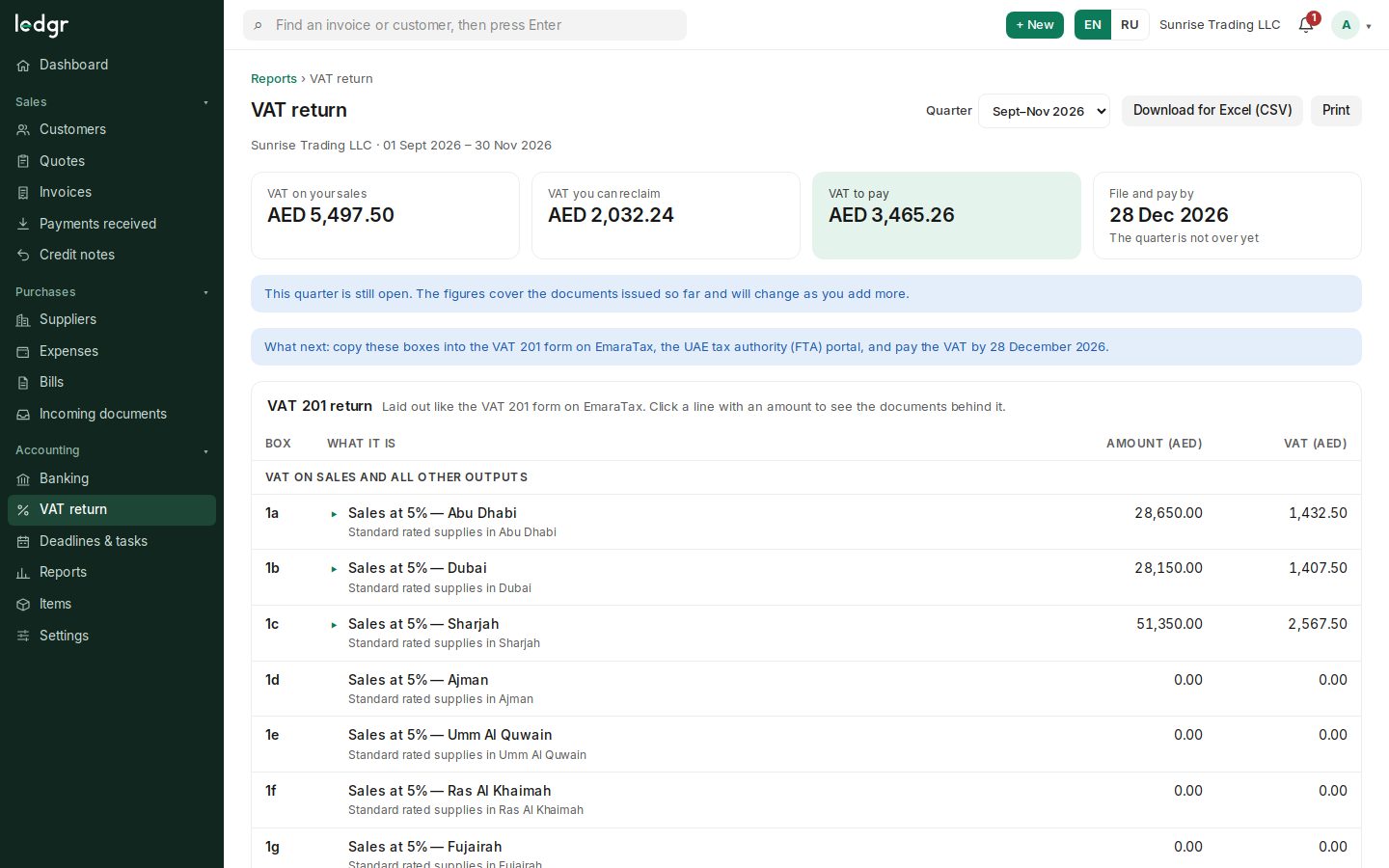
Ledgr assembles the VAT 201 return exactly as it appears on EmaraTax. Click any line to see the invoices and bills behind it, then copy the figures into the FTA portal.
What you can do
EmaraTax lines
Standard-rated sales by emirate, zero-rated, exempt, reverse charge, expenses and the totals.
Documents behind each amount
Open a line to see every document that makes it up — the check auditors ask for.
Any quarter
Pick the period; a running quarter shows the documents entered so far.
Due date shown
The filing and payment date for the period sits next to the amount payable.
Export
Download the return for Excel (CSV) or print it for your files.
Deadlines in the calendar
VAT returns appear in the compliance calendar with reminders.
How it works
Work as usual
Invoices, credit notes, bills and expenses carry their VAT treatment.
Review
Open the return, check each line and the documents behind it.
File on EmaraTax
Copy the amounts into the VAT 201 form on the FTA portal and pay by the due date.
The VAT 201 return at a glance
The lines Ledgr fills in from your documents.
| Box | What it contains |
|---|---|
| 1a–1g | Standard-rated supplies, by emirate |
| 3 | Supplies subject to the reverse charge |
| 4 / 5 | Zero-rated / exempt supplies |
| 9 | Standard-rated expenses |
| 10 | Supplies subject to the reverse charge (input side) |
| 12–14 | Total VAT due, recoverable VAT, VAT payable |
Coming next
- Soon
Filing straight to the FTA
Today you copy the figures into EmaraTax; direct submission depends on what the FTA makes available.
Frequently asked questions
Does Ledgr file the return for me?
No. Ledgr prepares the figures and the evidence behind them; you or your tax agent file on EmaraTax.
How are amounts rounded?
Amounts are kept in whole fils and VAT is rounded per line, half away from zero, so the return matches your invoices.
Try Ledgr with your own company
Ledgr is in its testing period: create a company in a few seconds, no payment and no card needed.